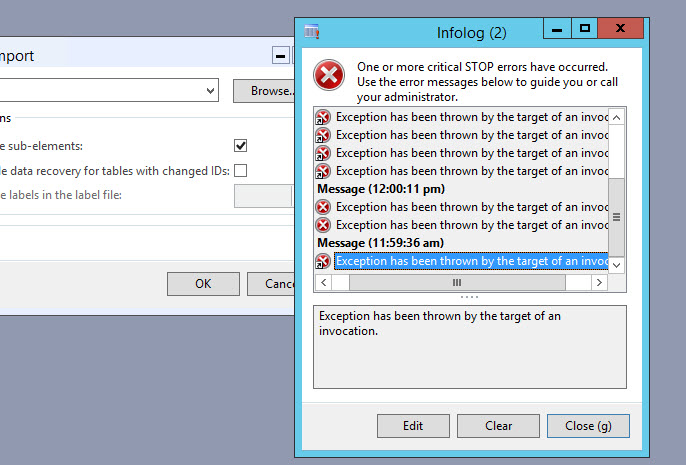
Exception has been Thrown by the target of an invocation Dynamics Ax

Description: Exception has been Thrown by the target of an invocation Dynamics Ax error occurred.


Procedure:  This error occur due to failed name resolution. So to resolve issue change Database server configuration in dynamics ax server configuration add IP address of SQL server instead of name of server. This issue generally due to name not resolved or if you do not want to change ip address instead of name then you need to restart DNS client Service in AOS server.

Label ID Display Instead Of Label Text

Description: In Dynamics AX label ID display instead of Label Text

Procedure: There are 2 solutions for remove label ID  are as follow:
Solution 1:

  • Stop AOS service 
  • Remove all .auc files from all user profile [C:\Users\username\AppData\Local] path
  • Start AOS service and check
Solution 2:
  • Get all users out of the system and Stop all AOS servers
  • On each AOS, Go to the App location C:\Program Files\Microsoft Dynamics AX\60\Server\MicrosoftDynamicsAX\bin\Application\App\Standard
  • Remove all files in the standard folder, but leave the subfolders, such as Tmp and DB.
  • Start each AOS which will create the necessary labels and files in this folder.
  • Check the labels are update correctly or not.

Error: Duplicate type with name ‘Dynamics.Ax.application.*’ in assembly when generate Full CIL

Duplicate type with name ‘Dynamics.Ax.application.*’ in assembly when generate full CIL.  As a result of this issue is many things within AX may stop working and if you go into
/System administration/Setup/Services and Application Integration Framework/Inbound Ports you will see many of the services have stopped and can not be restarted this causing issues within the AX instance.

Solution : Perform below steps to resolve this issue:

  • Stop all AOS instances
  • Delete all files on the AOS server under C:\Program Files\Microsoft Dynamics AX\60\Server\\bin\XppIL
  • Connect to the model database via SQL Management studio
  • Truncate the table SYSXPPASSEMBLY which lists all of the fies found in XppIL
  • You can do this via the command: TRUNCATE TABLE SYSXPPASSEMBLY
  • Start AOS service
  • Run Full CIL

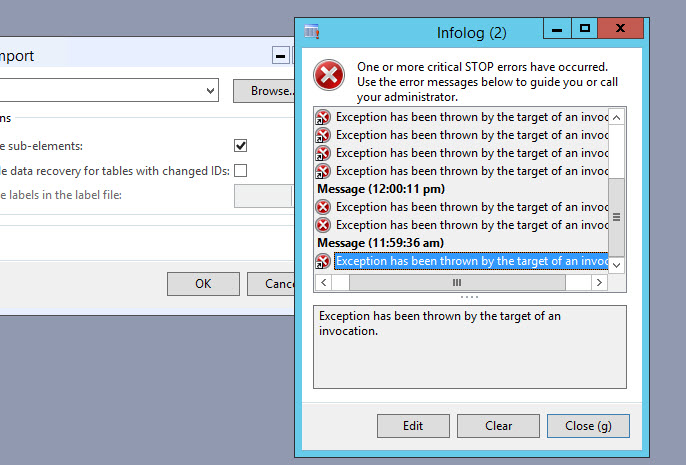
Exception has been Thrown by the target of an invocation Dynamics Ax

Description: Exception has been Thrown by the target of an invocation Dynamics Ax error occurred.


Procedure:  This error occur due to failed name resolution. So to resolve issue change Database server configuration in dynamics ax server configuration add IP address of SQL server instead of name of server. This issue generally due to name not resolved or if you do not want to change ip address instead of name then you need to restart DNS client Service in AOS server.
Label ID Display Instead Of Label Text

Description: In Dynamics AX label ID display instead of Label Text

Procedure: There are 2 solutions for remove label ID  are as follow:
Solution 1:

  • Stop AOS service 
  • Remove all .auc files from all user profile [C:\Users\username\AppData\Local] path
  • Start AOS service and check
Solution 2:
  • Get all users out of the system and Stop all AOS servers
  • On each AOS, Go to the App location C:\Program Files\Microsoft Dynamics AX\60\Server\MicrosoftDynamicsAX\bin\Application\App\Standard
  • Remove all files in the standard folder, but leave the subfolders, such as Tmp and DB.
  • Start each AOS which will create the necessary labels and files in this folder.
  • Check the labels are update correctly or not.